



Goods & Accessories Theme: How to Customize Your Home Screen with 24 Options for Android
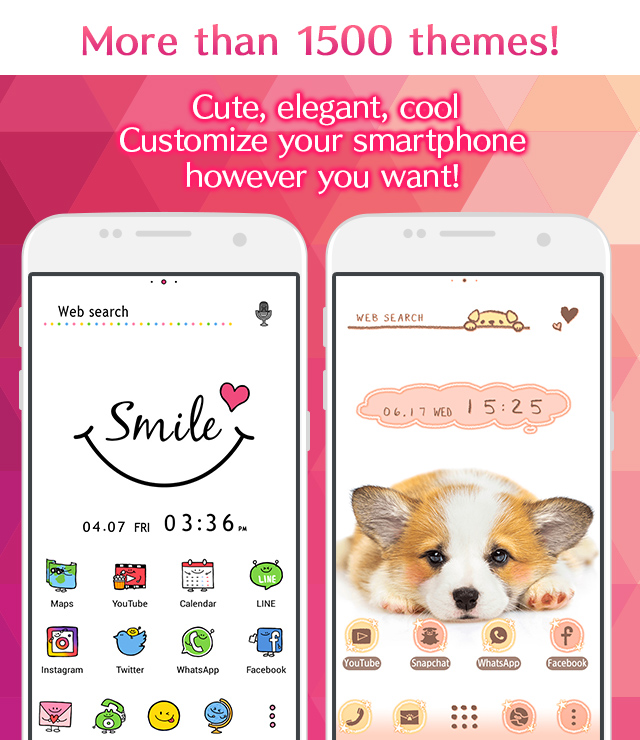
Easy ways to customize your Android home screen with the Goods & Accessories theme! If you find a home screen customization that suits your taste from the many themes available, you can use the popular smartphone customization app +HOME to apply the Goods & Accessories arrangement to your home screen with high-quality wallpapers, icons, clock widgets, and search widgets, all for free.
Download +HOME, the App You Need for Goods & Accessories Customization!
c<p>With +HOME, the popular smartphone customization app, you can completely customize your smartphone's home screen to a Goods & Accessories theme for free! Easily set wallpapers, icons, clock widgets, and search widgets!


+HOME Recommended Popular Ranking
+HOME Special Features List.
-
🎆 Fireworks and End of Summer Theme Special 🎆
Would you like to enjoy beautiful moments of fireworks that color the end of summer on your device? We have prepared special wallpapers, skins, and themes for free! With enchanting fireworks designs, you can always look back on your summer memories.
-
🍎 Lucky Charm Theme Special 🍀
Transform your screen into a positive space using cute avocado and lucky charm charm wallpapers🥑
-
☕ Stylish Korean-Style Theme Special ☕
Experience Korea's charm on your smartphone! Packed with stylish themes like simple and minimalist designs 🩷
-
✈️ Special Feature: Themes That Make You Want to Travel ✈️
Open your phone and find yourself in a foreign land! With these themes featuring breathtaking views from around the world, fill your screen with dramatic landscapes—from majestic nature to famous tourist spots—that will transport you on a journey ✈️
-
🍓 Fresh Strawberry Theme Special 🍓
Bring juicy fruit to your phone! Enjoy a sweet and tangy home screen adorned with bright red berries every day with this fresh strawberry theme🍓
-
🍀 Special Features for Golden Fortune 💰
Dressing up with gold motifs for better luck in money! Special feature on themes that bring you luck!
-
☔ Healing Rainy Pattern Special ♫
The theme is full of beautiful, transparent designs incorporating motifs such as rain, drops, and umbrellas, perfect for the rainy season☔
-
💐 Features a beautiful flower garden 💐
Enjoy a peaceful everyday life with a flower garden smartphone Kisekae. Charge peace and healing with colorful and beautiful dress-up.
-
💆 Mindfulness Theme Special 🌿
Get the full scoop on the latest wellness trends! Welcome the new season with mindful themes to spruce up your phone 🌿
-
💗 Pastel Pink Theme Special 💗
Heart-fluttering pastel pink! Adorn your phone with heart and strawberry themes for an adorable display 💗
-
🌃 Eye-friendly dark mode feature 🌌
A collection of practical dark mode themes with a black background for the entire screen that are easy on the eyes and conserve battery power 👀✨
-
😸 Cute Animals and Food Theme Special 🍜
Feel cozy on your smartphone screen! Enjoy heartwarming moments with animals munching on food 😋
-
😍 Cute Fancy Theme Special Feature 😍
Experience a dream world on your smartphone! Full of cute motifs such as the popular Wish Core, Fancy, and Yumekawa😍
-
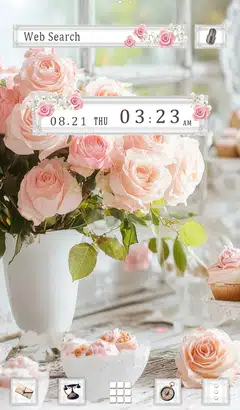
🌹 Beautiful Flowers Theme Feature 🌼
A noble rose blooming on your smartphone! Dress up your screen elegantly and gorgeously with floral themes🌹
-
💍 Special feature on June Brides 💍of your dreams! 💍
June Bride romance on your phone! We bring you a Kisekae feature with themes of churches, beaches, and ring motifs 💖
-
⛄️ Winter Scenery Theme ⛄️
Enjoy winter's breathtaking views on your phone! Fill your screen with a serene silver world through beautiful snowy landscape themes ⛄️
-
🍧 Pop Ice theme feature 🍧
Decorate your phone with pop ice cream designs that feel like summer! Check out our refreshing specials🍧😋.
-
😌 Themes of Peacefulness Feature ✨
Summer peace of mind with your phone! Spend your days in a relaxing kisekae theme feature that will enrich your mind😌
-
🎀 Prep for Winter like a British Lady🧣
Add warmth to your home screen with the British Girly collection! Monopolize a screen that lifts your spirits with highly fashionable designs woven with houndstooth and checkered patterns.
-
💎 Special Birthstones from July to December 💎
The theme of the birthstones from July to December is the theme of Kisekae! Which gemstone will color your birth month? 💎✨
List of How to Use +HOME
-
About the Home Screen
-
Let's Change the Theme
-
How to Use the Drawer (App List)
-
Mastering the Home Screen
-
About the Iconpacks
-
How to Change Home Screen Icons Individually
-
How to Change Home Screen Icons All at Once
-
How to Change Home Screen Icons with Your Favorite Images
-
How to change home screen icon size